
Interactive drone panoramas
Let clients and project teams view your site from every angle
High-resolution aerial panoramas give people an interactive way to understand a site, review progress and explore a location without needing to be there in person.
The problem
Photos do not always help people understand the whole location
Standard images can show useful detail, but they often miss the bigger picture. A project team, client or stakeholder may need to understand how the site feels, how areas connect and what surrounds the project.
That is where a drone panorama becomes useful. It gives people an interactive view of the location, so they can look around, understand context and see the project from a more natural perspective.
- Help people understand the wider site context
- Share visual updates without arranging a site visit
- Record progress from consistent locations over time
- Show the surrounding area, not just one fixed image
The solution
A better way to show people what the site looks like
Drone panoramas allow viewers to look around a site from an aerial position, giving them a more complete understanding of the project and its surroundings.
They are especially useful when people need to review a location remotely, compare progress, or understand multiple viewpoints across a project area.
Panoramas can be hosted on the website or delivered for your own records, depending on the project.
What panoramas help with
Useful when the whole view matters
Aerial panoramas are ideal for showing context, progress and site surroundings in a way that static images cannot always achieve.
Remote site viewing
Let clients, stakeholders or team members view the site without needing to physically attend.
Progress from the same position
Capture panoramas from pre-set locations over time to show how the project changes.
Multiple viewpoints
Use linked panorama positions so viewers can jump between locations and explore the wider project area.
Client updates
Give clients a more engaging way to understand progress, layout and the surrounding environment.
Project records
Create a visual record of a location at key stages, useful for future reference and comparison.
Marketing and presentation
Use aerial panoramas to present sites, landscapes or completed work in a more immersive way.
Example panorama tour
Explore a site from above
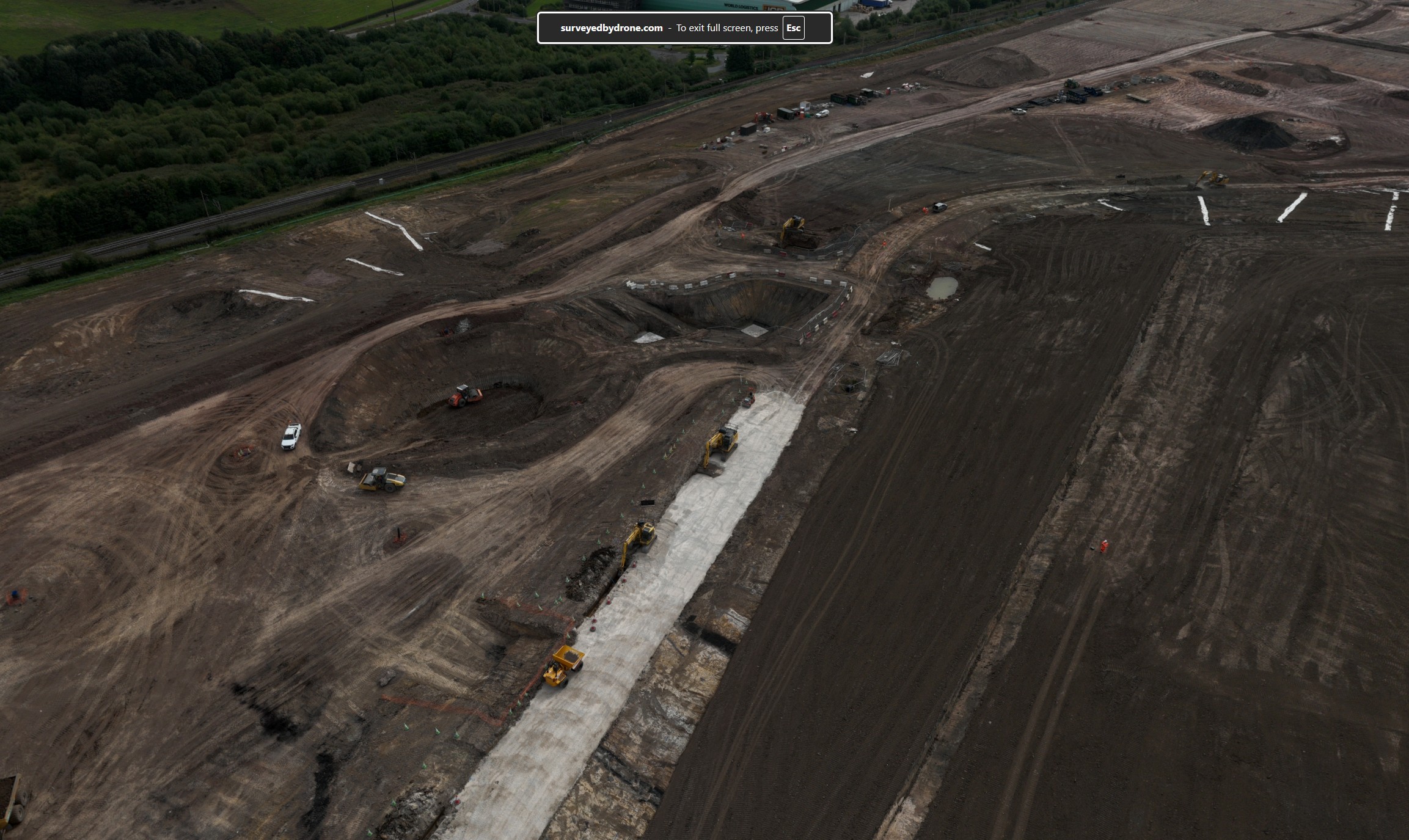
Use the panorama below to explore the site from an aerial viewpoint. This gives viewers a better sense of location, layout and surrounding context.

Use your mouse or finger to look around the panorama and explore the site from above.
How it works
Capture, host and share aerial views of your project
We can capture high-resolution 360° drone panoramas from chosen aerial positions. These can be used as one-off visuals or captured regularly from similar locations to show how a site changes over time.
For larger locations, multiple panorama points can be linked together so viewers can jump from one view to another.
Panoramas are useful for:
- Construction progress updates
- Environmental and landscape projects
- Site access and context reviews
- Remote stakeholder presentations
- Project marketing and visual records
- Before-and-after comparisons
Simple process
From site capture to shared panorama
The process is straightforward and can be adapted depending on whether you need one panorama or a linked tour.
Choose the viewpoints
We agree the location or locations that need to be captured, based on what you want viewers to understand.
Capture the panoramas
We fly the site and capture the 360° aerial imagery from the planned positions.
Host or deliver the tour
The panorama can be hosted on the website, added to a project page, or supplied for your own use.
FAQ
Questions about drone panoramas?
These answers help explain how aerial panorama tours can be used on projects.
Can you capture panoramas from the same location over time?
Yes. Where practical, panoramas can be captured from similar GPS locations so progress can be compared across different dates.
Can the panoramas be hosted on the website?
Yes. Panoramas can be hosted on Surveyed By Drone project pages, or delivered for your own internal use depending on your requirements.
Can viewers jump between panorama locations?
Yes. For larger sites, multiple panoramas can be linked so viewers can move between different aerial viewpoints.
Do panoramas replace orthomosaics?
No. They solve different problems. A panorama is best for immersive viewing and site context. An orthomosaic is better when you need a measurable top-down map.
What information do you need to quote?
We usually need the site location, number of viewpoints required, whether it is a one-off or repeat capture, and whether the tour needs to be hosted online.
Request a quote
Need an aerial panorama of your site?
Tell us about your location, the number of viewpoints you need and how you want the panorama to be used.