Orthomosaic drone surveys
See your whole site clearly with a measurable aerial map
Get a high-resolution orthomosaic of your project so you can plan work, track progress, support reports and provide visual evidence of what has been completed.
The problem
Ground-level photos do not always show the full picture
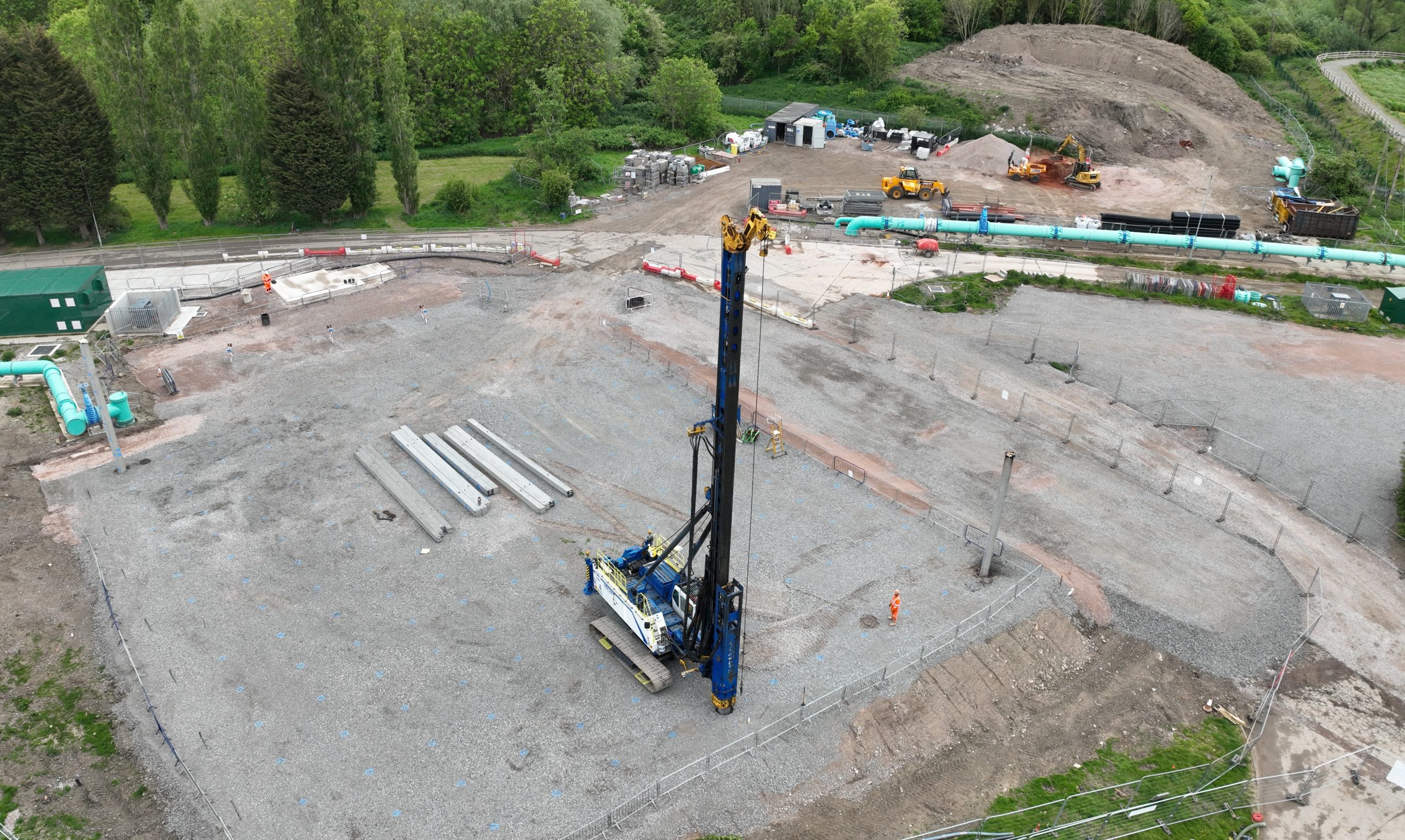
On a busy site, it can be difficult to understand exactly what has changed, what is complete and what still needs attention.
When the whole project is not visible in one view, planning becomes harder. Progress can be missed. Reports become less clear. Evidence for completed work can be difficult to present.
- Hard to see the full site from ground level
- Difficult to compare progress between dates
- Site information spread across separate photos and notes
- Visual evidence not always clear enough for reports or payment applications
The solution
Turn drone images into one clear site map
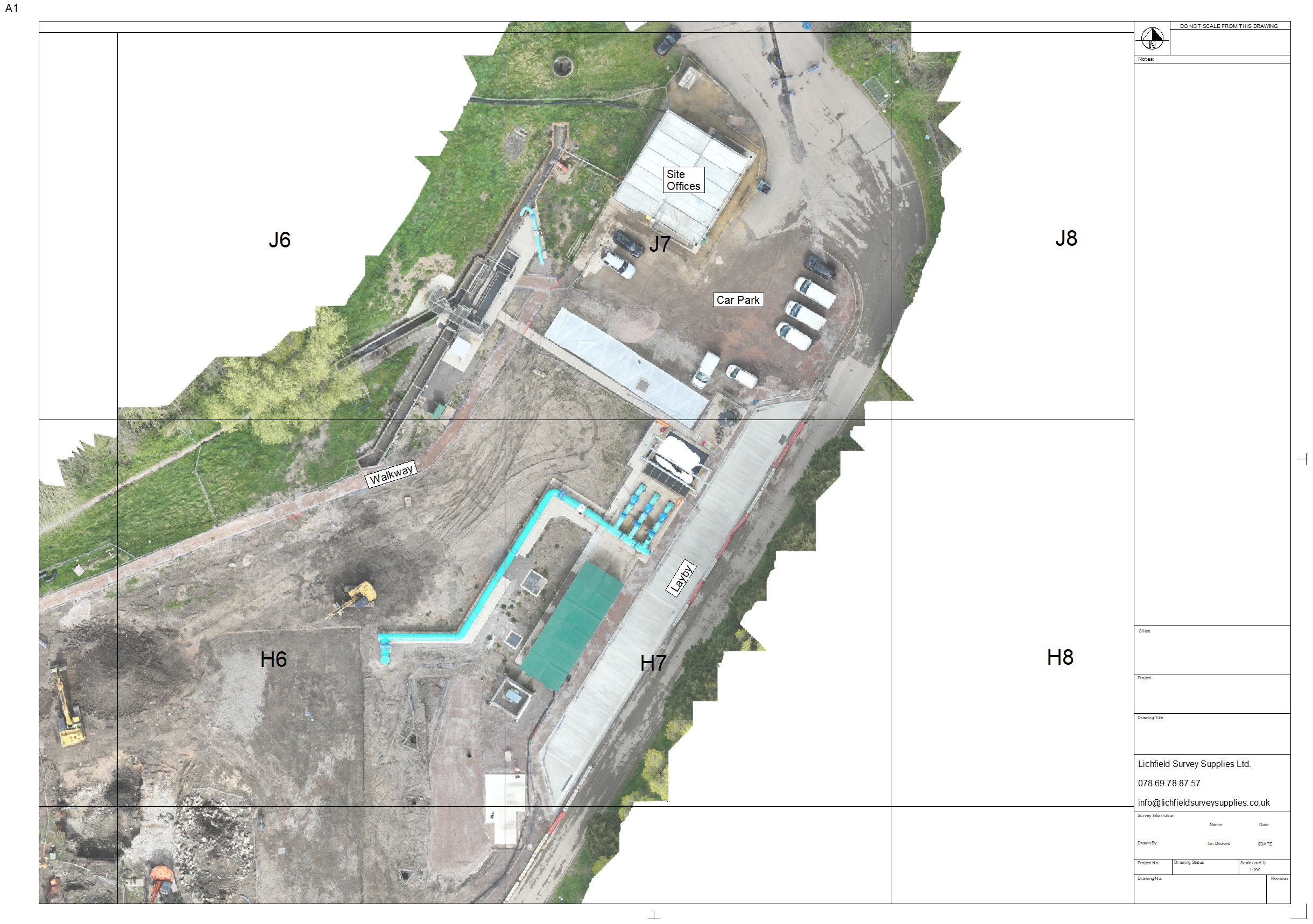
An orthomosaic is created by capturing many overlapping drone images and processing them into one accurate top-down image.
Instead of looking through lots of separate photos, your team gets a single visual reference of the site. This makes it easier to understand scale, location, progress and change.
For construction teams, it can become a practical record of the project at a specific point in time.
What it helps with
Practical benefits for your project team
Orthomosaics are useful because they make the site easier to see, easier to discuss and easier to record.
Plan work with more confidence
Use the aerial map to review access routes, work areas, site constraints and the relationship between different parts of the project.
Track progress clearly
Capture the site at different stages and compare change over time with a consistent top-down view.
Support payment applications
Use visual evidence to help show what work has been completed, especially where ground-level photos do not tell the full story.
Improve client updates
Give clients and stakeholders a clear visual snapshot of the site without needing them to visit in person.
Create a project record
Build a visual timeline of the project so key stages can be reviewed and referenced later.
Make communication easier
A shared aerial view helps everyone talk about the same location, feature or issue more clearly.
Example output
What an orthomosaic can give you
The output is designed to be practical, visual and easy to share with the people who need to understand the site.
Where it is useful
Ideal for construction sites, earthworks and project progress records
Orthomosaics are especially useful when your team needs a clear visual record of the site and an easier way to understand progress from above.
They can support both day-to-day planning and longer-term project documentation.
Useful for:
- Construction progress records
- Earthworks and ground preparation
- Site access and logistics planning
- Client and stakeholder updates
- Evidence of completed work
- Before-and-after comparisons
Simple process
From site details to usable orthomosaic
The process is straightforward and built around capturing the information your team actually needs.
Send us your site details
Tell us the location, approximate area, access details and what you need the orthomosaic for.
We plan and capture the site
We review the location, plan the drone flight safely and capture the overlapping images needed for processing.
You receive the output
You get a clear orthomosaic output that can be used for planning, communication, reporting and project records.
FAQ
Questions about orthomosaic drone surveys?
These are the common questions people ask before arranging an orthomosaic of their site.
How accurate is an orthomosaic?
Accuracy depends on the site, flight plan, ground conditions and the required output. If you need a specific level of accuracy, tell us at the enquiry stage so we can advise what is possible. We can achieve accuracy of less than 100mm using RTK Drones and GCP’s.
How quickly can we receive the output?
Turnaround depends on the site size, weather, permissions and processing requirements. Once we understand the project, we can confirm a realistic timeframe.
Can you add a grid or labels?
Yes, where appropriate. A grid overlay, annotations or simple labels can make the orthomosaic easier to use as a project reference.
What information do you need to quote?
We usually need the site location, approximate size, required output, access details and how you plan to use the orthomosaic.
Can you work on construction sites?
Yes. We understand that construction sites need careful planning, communication and safe drone operations. Surveyed By Drone is GVC qualified and holds CAA Operational Authorisation.
Request a quote
Need an orthomosaic of your site?
Send us your site details and we will advise what is possible, what we need and the best way to capture your project.